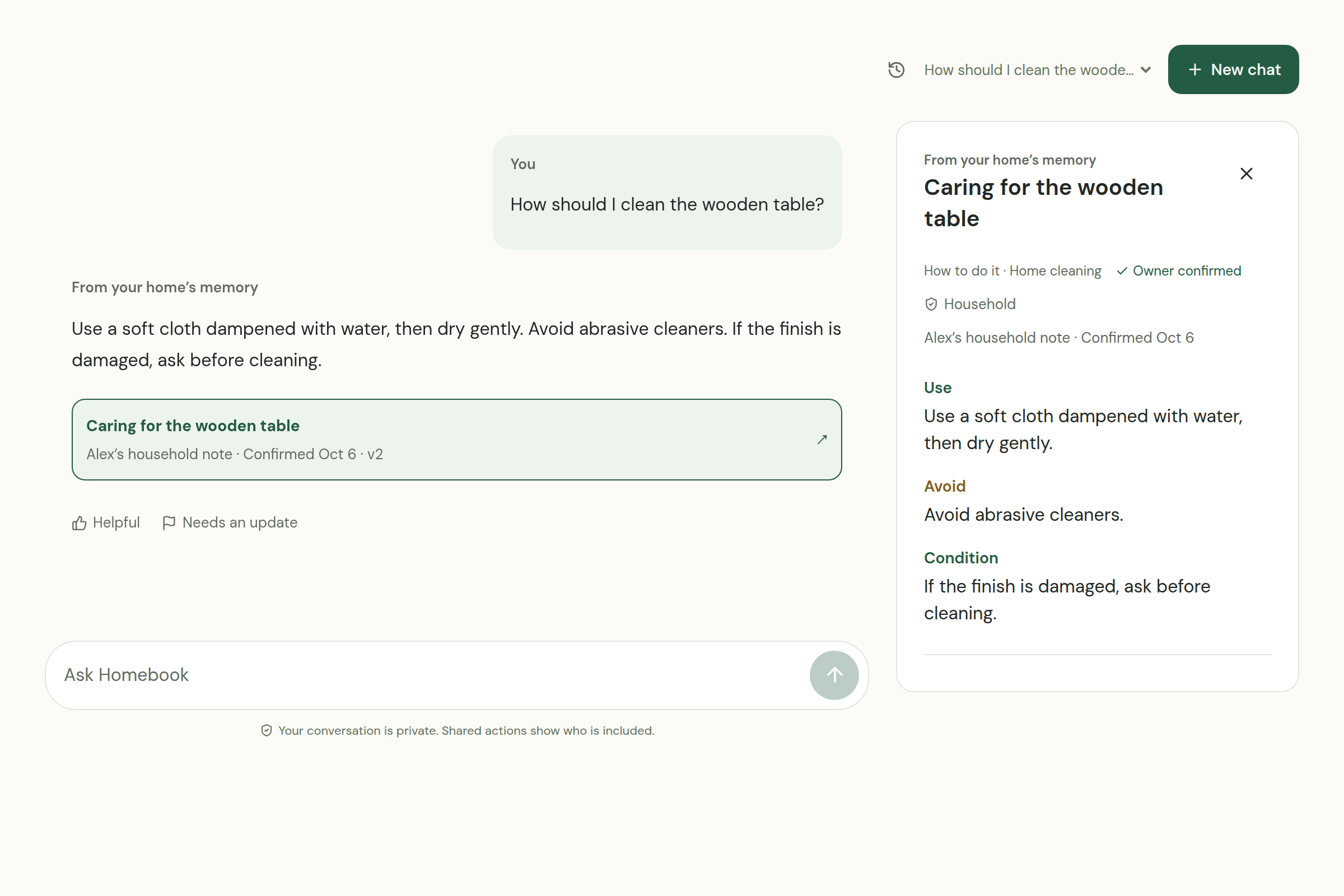
Ask about your home.
“How do I clean the wooden table?” Get an answer from the instructions you’ve already confirmed.
The living home manual
Everything that makes your home work, remembered in one thoughtful place.
Care instructions, where things live, and the routines you share with family and helpers.
Teach it once. Share with care.
Let your home answer.
“How do I clean the wooden table?” Get an answer from the instructions you’ve already confirmed.
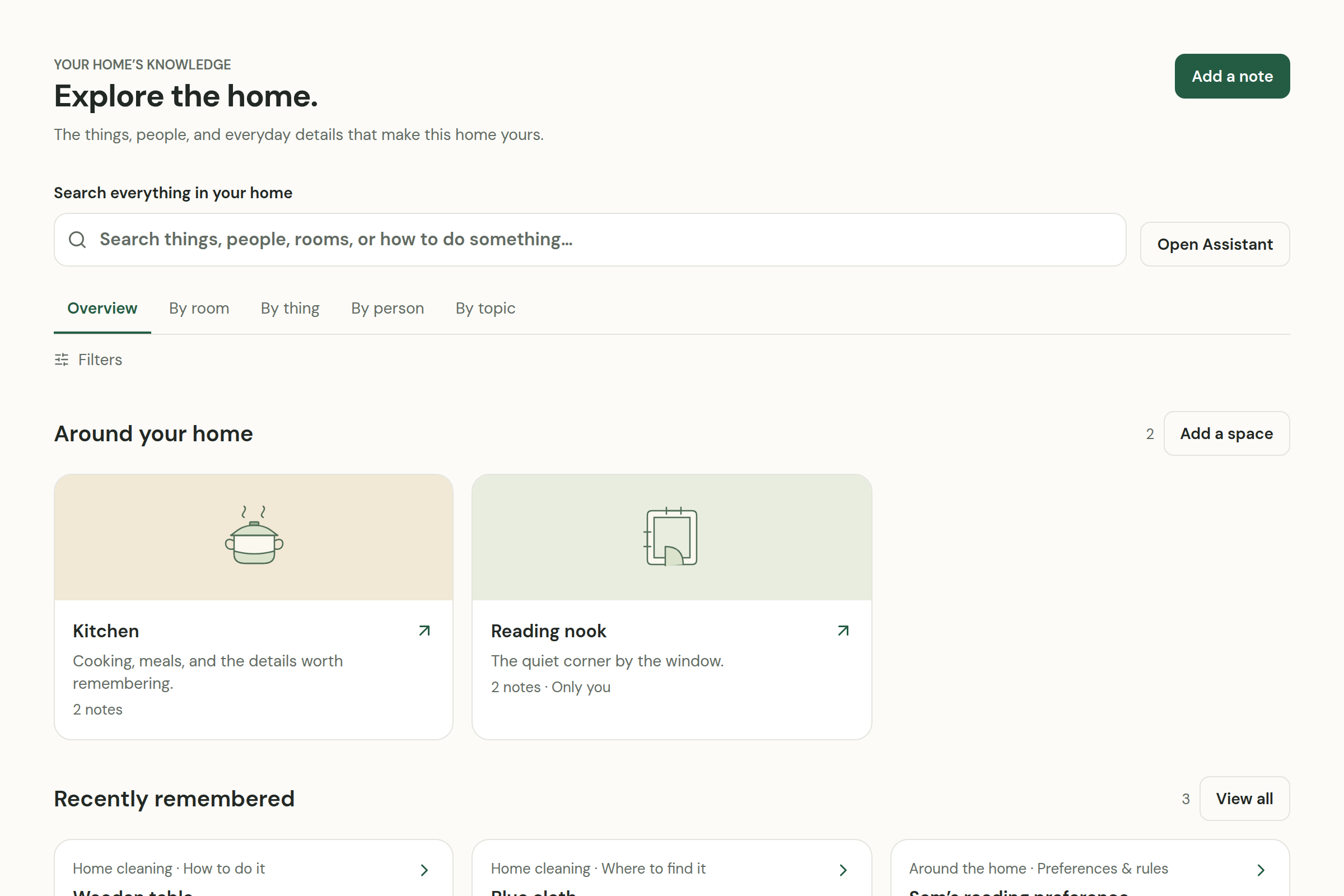
Rooms, objects, people, and the little details that are otherwise easy to lose.
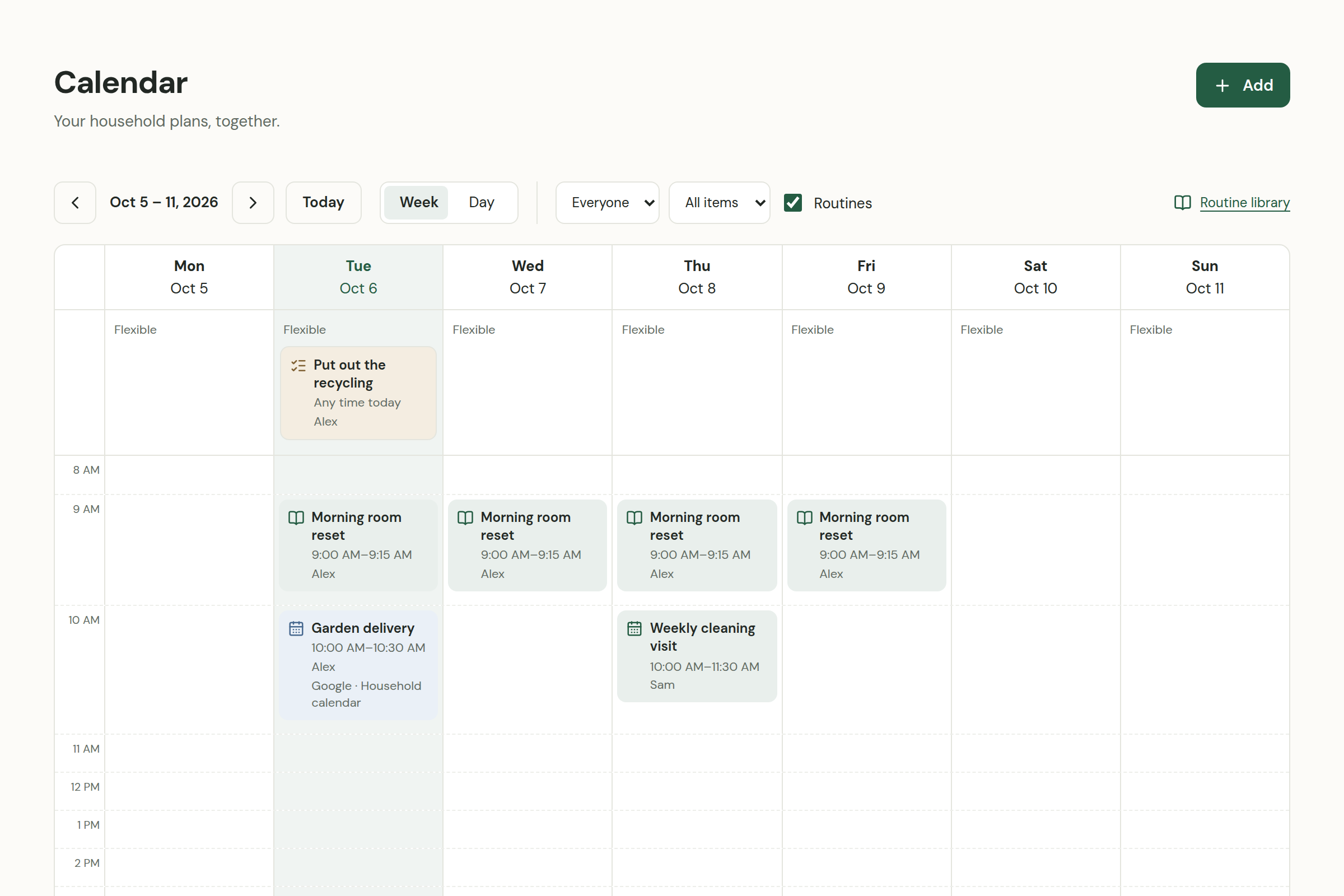
Visits, tasks, and recurring routines. A week everyone can find their way around.
Keep the checklist, the person responsible, and the next step together.
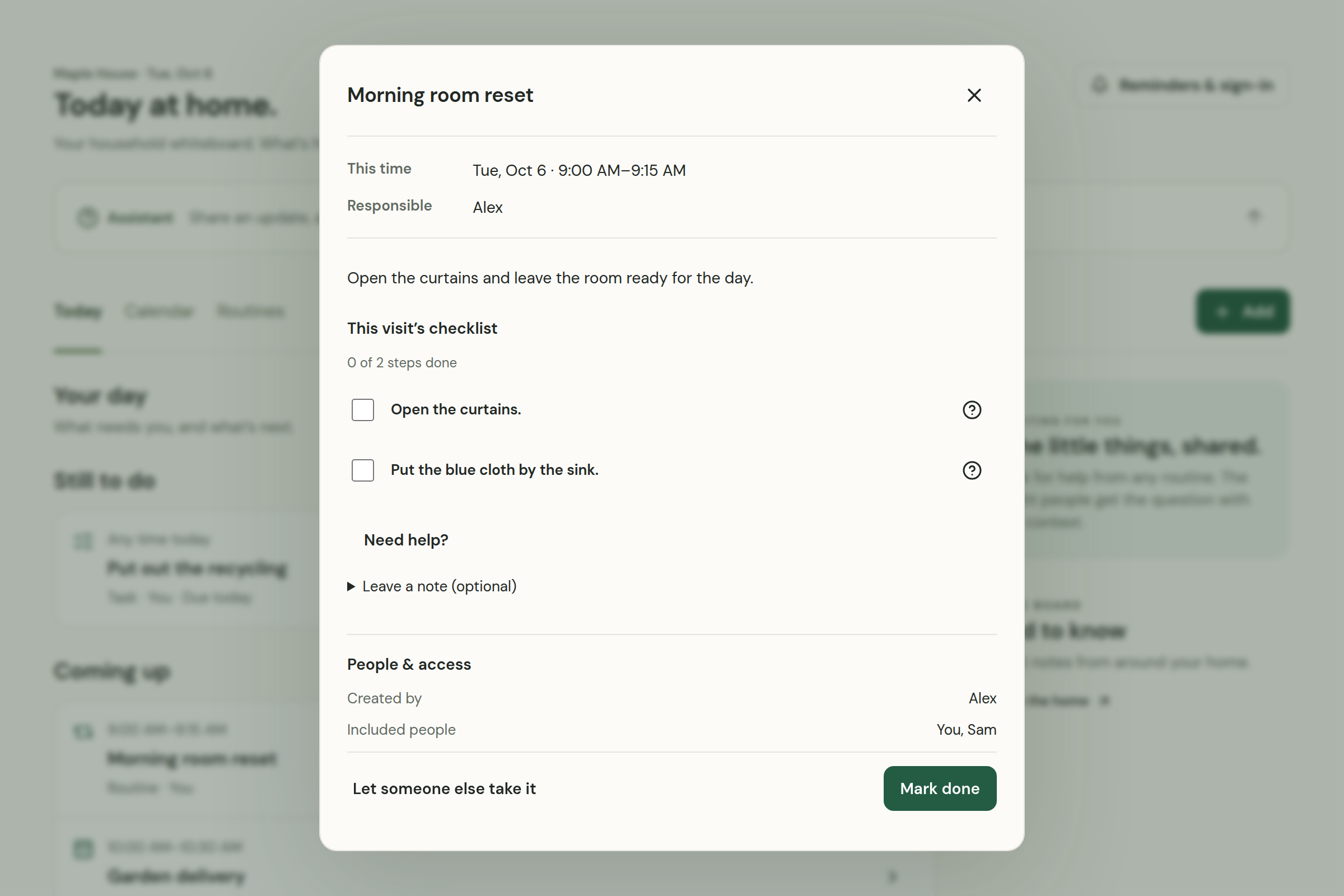
Actual Homebook screens. Fictional household. A product we’re actively building.
The everyday details
The right cleaner. The spare key. The way you like things done. Make it easier for the people who care for your home to get it right.

Add an instruction about a room, an object, or a routine. Review it, confirm it, and keep it close to what it belongs to.

Family, cleaners, guests. Choose who can see each instruction, so each person gets the information you’ve shared with them.

When a detail is missing, a question comes back to you. Your answer is there for the next person, and the next time.
Make yourself at home
Use the same Homebook experience, with the setup that suits you.
Hosted by us · Early pilot
We deploy Homebook, connect the models, and help you get started. Your household joins in the browser.
The pilot is planned around actual infrastructure and model usage costs. We’ll explain the proposed charges before you decide to join.
Opens your email app. You can also write to sales@usehomebook.com.
Manually onboarded. Requesting access does not start a subscription or commit you to a payment.
Self-hosted · Available now
Install on your computer with the CLI. Choose how your household connects and which model services you use.
npx homebook@latest init
Requires Node.js 24+ and Docker. Verified on Linux x86-64.
Before you move in
New notes start private. You choose what to share and with whom. Homebook checks household membership and permissions before returning information or carrying out actions. You can revoke a helper’s access.
When you enable connected AI services, those providers receive the information needed to answer questions and carry out the features you use. Self-hosting lets you choose your connections; the hosted pilot’s provider setup will be explained before onboarding.
Helpers use their invitation in a browser. They do not need the CLI or model keys. For self-hosted installations on a private Tailscale network, their device also needs access to that network.
Not yet. Homebook is currently proprietary software. Released CLI and server artifacts are available for self-hosting; no open-source license is granted at this stage.
Start by contacting us about the pilot. We agree the setup and costs before you join. If you have an agreed Stripe checkout link, review its price and billing interval before paying. We confirm payment and arrange your household setup personally. Payment alone does not create an account. For billing or cancellation help, contact support@usehomebook.com.